“Winners hold winners. Losers hold losers.”— Tim Bohen
22 components · the one I actually trade on · minimum specs too
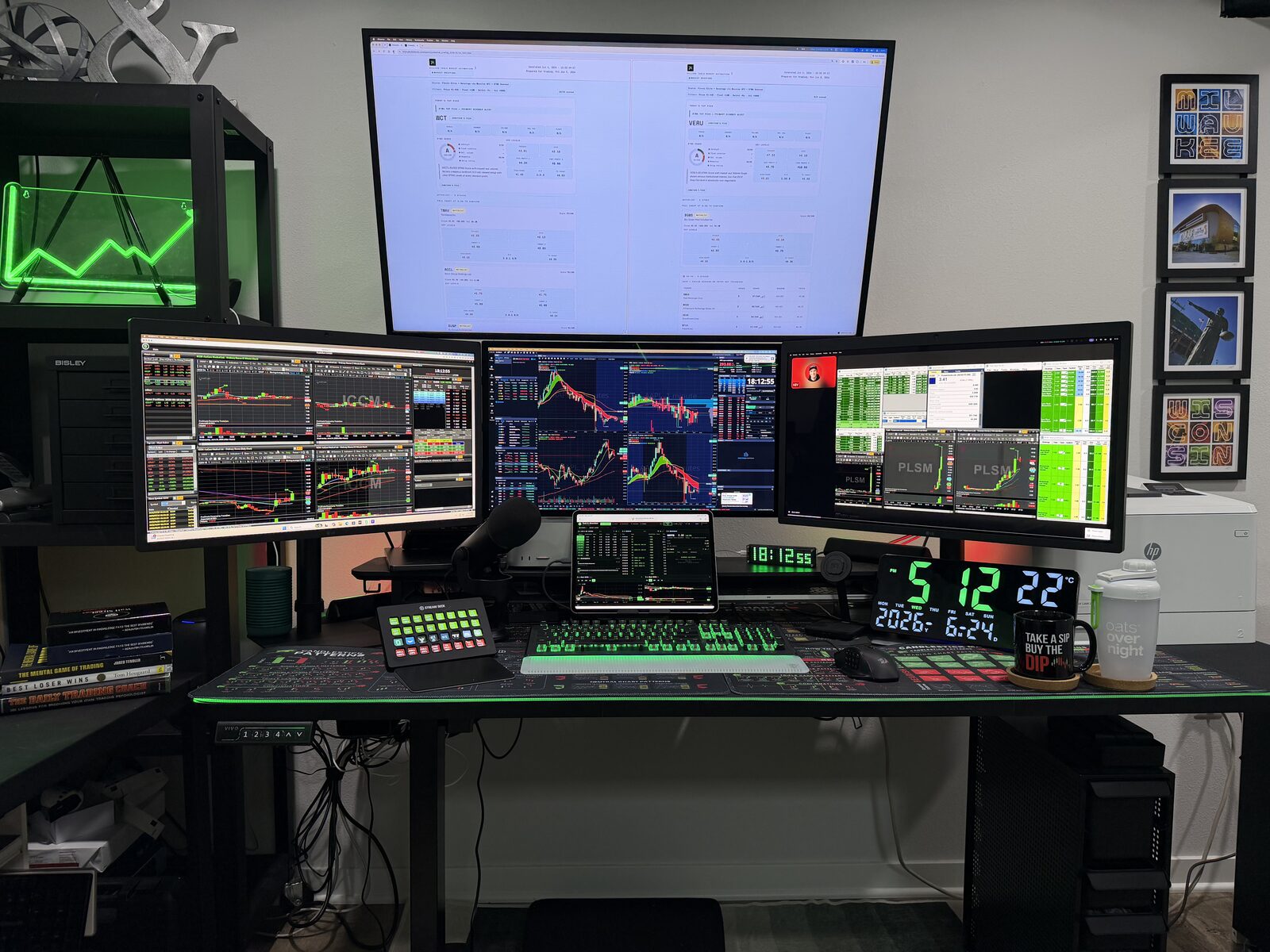
Jonathan's Trading Workstation A Day-Trading Hardware Setup
Every component in my actual 4-monitor Apple Silicon setup — computers, displays, connectivity, and peripherals — with honest notes on what's worth buying versus what's overkill.
18-core CPU / 40-core GPU · 128GB unified memory · 2TB SSD · Space Black · Sits on the shelf behind the mic, with the iVANKY dock on top of it. This high-end MacBook Pro was ordered to replace both an older Mac Studio desktop (repurposed below) and a MacBook Air laptop (traded in). It is much more powerful than the average day trader would need, but I'm running more and building more than the average day trader. See below for minimum spec recommendations.
This build runs Parallels for Windows 11 ARM to drive TradeZero's ZeroPro platform alongside native macOS work — Claude Code, browser dashboards, and trading platforms all running at once. 64GB is comfortable for most setups, but a full Windows VM running concurrently with everything else pushes memory pressure higher. 128GB adds real headroom now and over a multi-year hold.
For day trading on a Mac in 2026, you will need at least an Apple Silicon chip (M1, M2, M3, M4, or M5), 16 GB of RAM (Unified Memory), and a 512 GB SSD (Solid State Drive). This setup easily handles web-based charting and browser-heavy multitasking, though I'd suggest upgrading to at least 32 GB of RAM to prevent slowdowns during high-volatility trading times. RAM is your desk space for charting tools, Level 2 data, and news feeds. While macOS is efficient, serious day traders should aim for 32 GB if utilizing multiple complex scanners and charts simultaneously and if NOT planning to run a Windows virtual machine through Parallels (then a minimum of 64 GB would be recommended).
This model has been discontinued and is no longer sold new. It's genuine overkill for trading specifically — 5K resolution and Thunderbolt bandwidth aren't doing anything a 1440p panel doesn't already do for charts and order tickets. I kept mine because I already owned them and they work great, but I wouldn't buy them new for this purpose today.
43" · 4K · Wall-mounted · Connects via dock's HDMI port · This display was already owned and barely used in a different room, so it was repurposed to serve as my primary dashboard residing above my trading window.
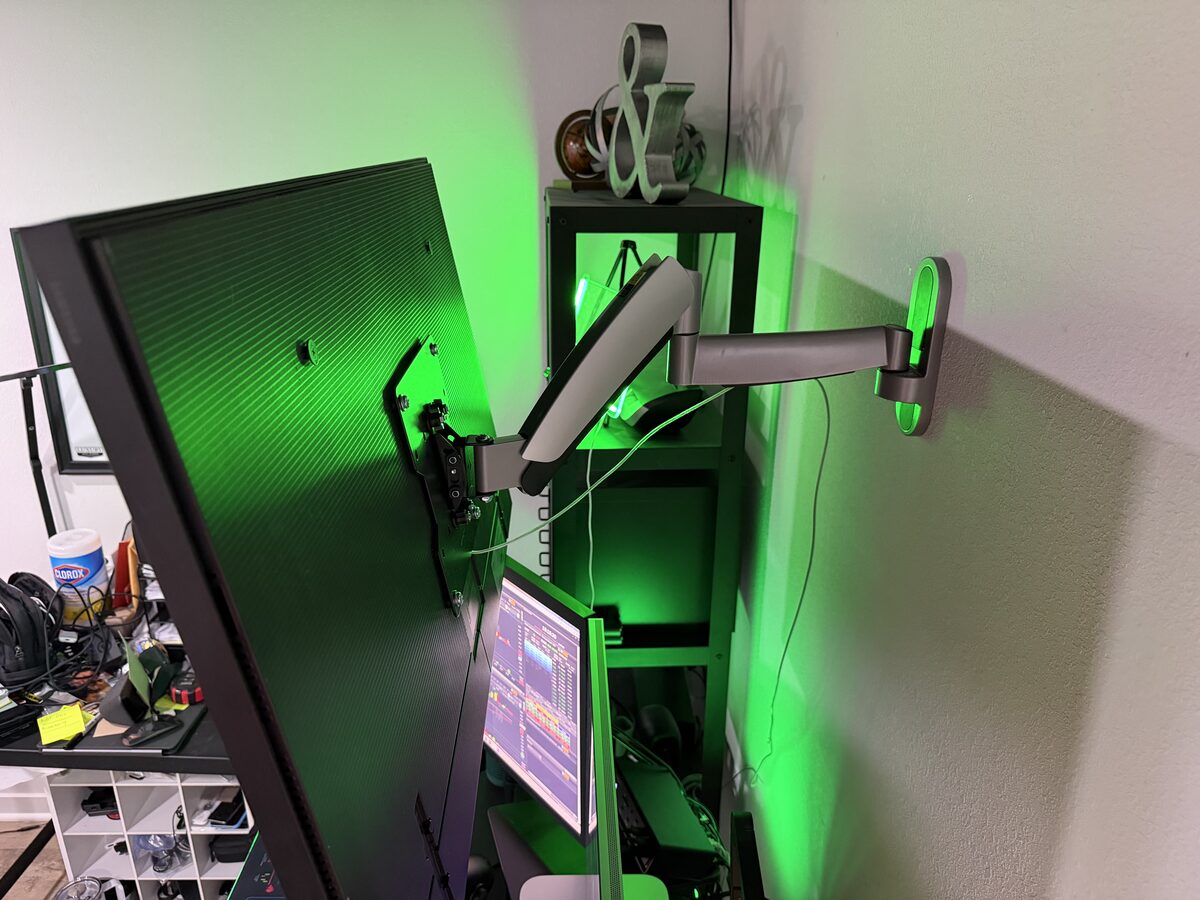
Pneumatic spring arm · 26"–55" · Max 400×400mm VESA · Height adjustable · Full articulation · Silver · This took me a while to find the right one. The key was getting full range of motion: height adjustment, tilt, swivel, and enough arm extension to position a 43" panel directly above a trading desk at close range. Most TV mounts are designed for sitting back on a couch — this one handles the tight overhead angle a trading desk setup actually needs. Worth noting: because the desk is a motorized standing desk (see below), having a wall-mounted Samsung rather than a desk-mounted arm was a deliberate choice — the Samsung stays in place at a fixed height when the desk surface goes up.
AmazonThe wall mount arm fully extended — shows the range of motion that lets the Samsung sit directly above the monitor array at the right angle and distance.
71" × 30" · Electric motorized height adjustment · Memory presets · 220 lb capacity · Black top, black frame · I love this desk and it is exactly what I wanted. I switched from a sitting-only 4-foot desk to this 6-foot model specifically because I needed it wide enough to fit my printer alongside everything else. I stand for the first 60–90 minutes after the market opens — it's become a real part of my trading routine. The tabletop ships as three separate 2-foot sections; while the seams are close, I wouldn't have liked them visible on the surface. The version I ordered includes the full-size RGB mouse pad cover that spans the entire 71 inches — the desk mat and the desk are effectively one piece. I keep the built-in rope light on solid green for the vibe. They do sell the same desk without the giant mouse pad for $70 less, and in different sizes, if this exact configuration doesn't fit your space.
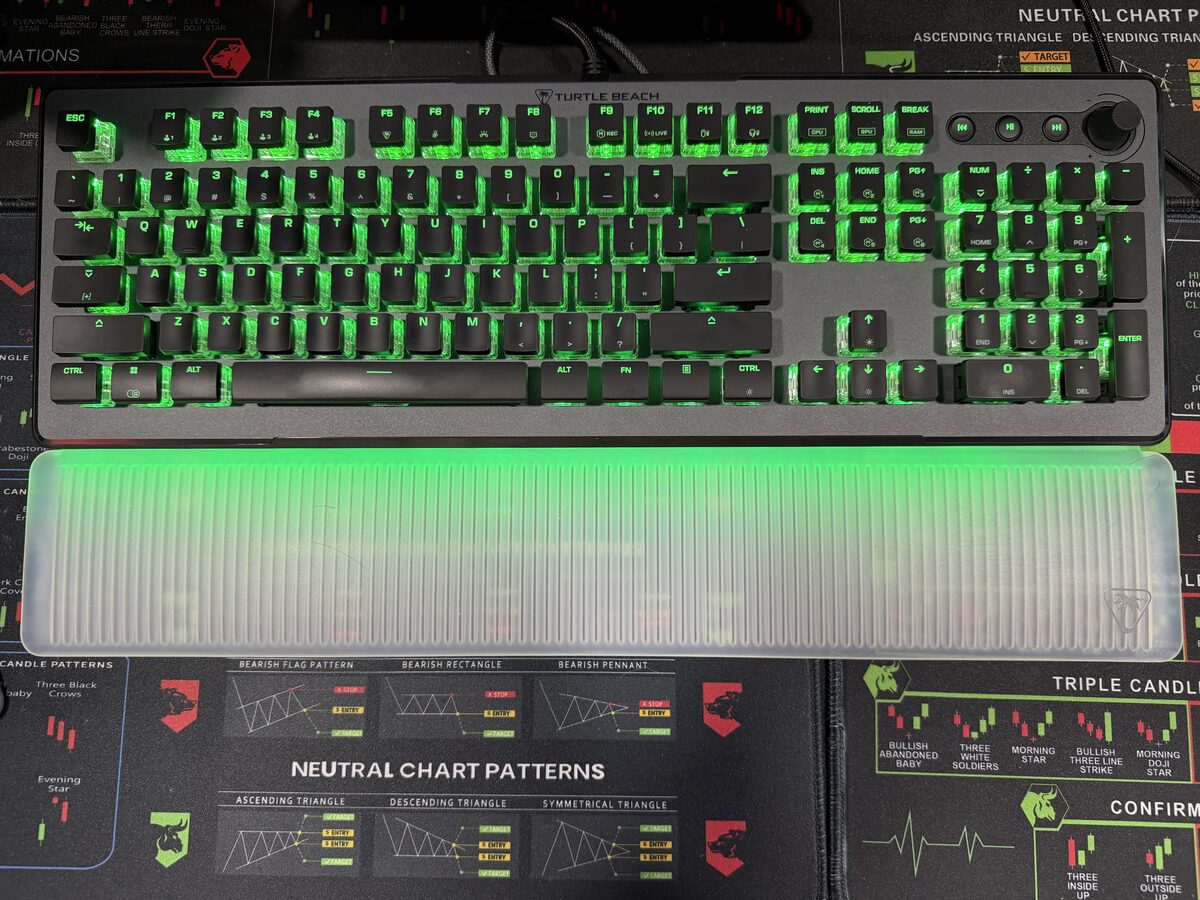
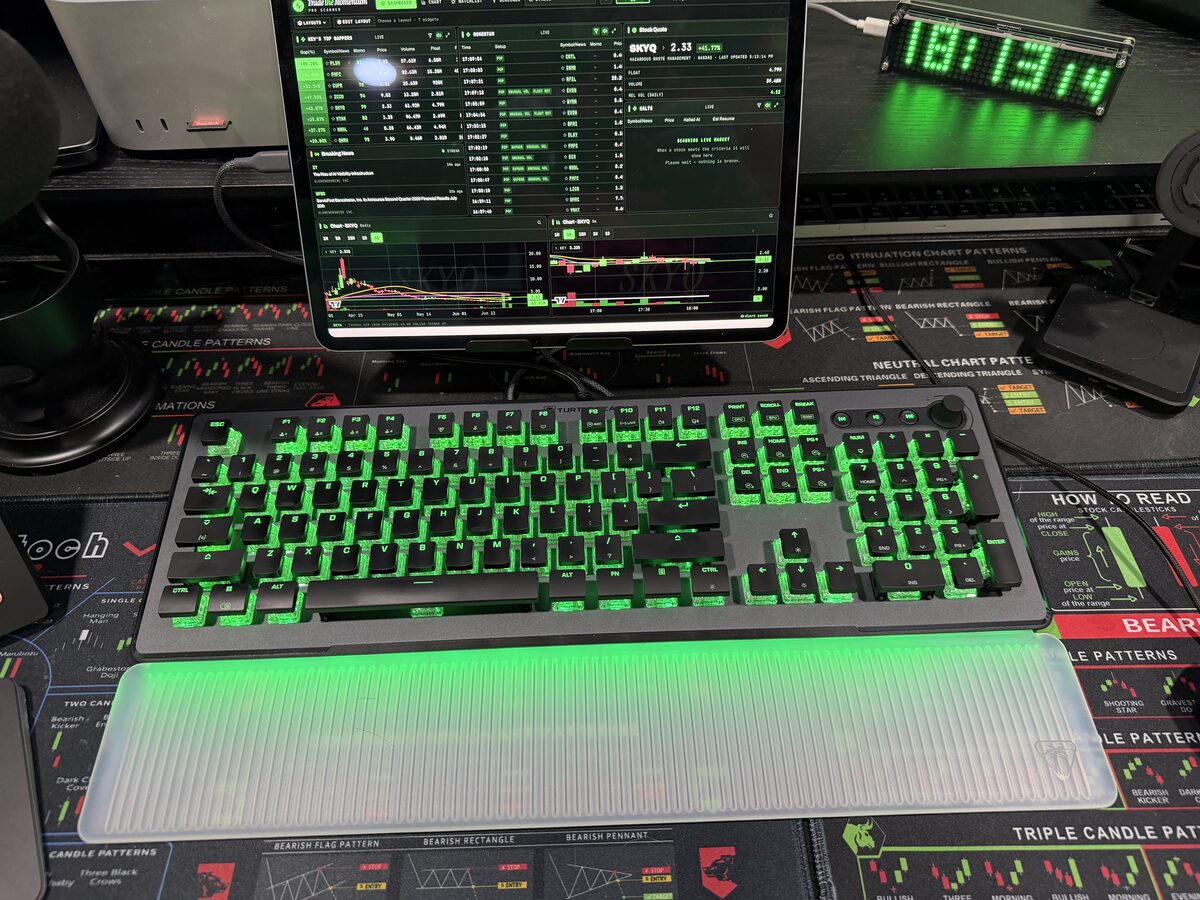
USB-A keyboard · Wired for trading-session reliability — no low-battery risk mid-trade · The keyboard is fully programmable and the per-key RGB backlighting can be customized; I set it to solid green to match the rest of the desk's vibe. Worth it as a feature for anyone else setting up a themed trading workspace.
AmazonThe Turtle Beach Vulcan II Max — optical mechanical switches, full-size layout with numpad, and green RGB dialed in to match the rest of the desk.
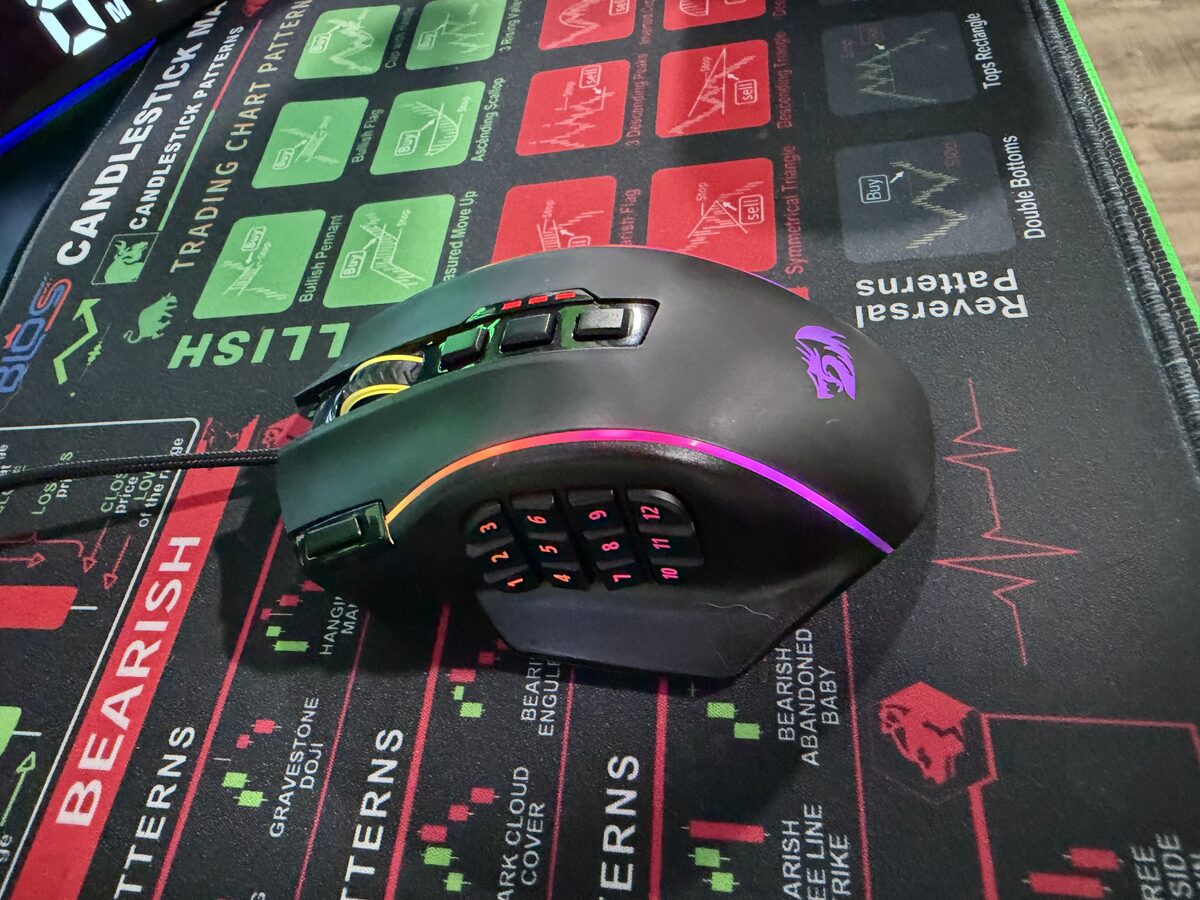
USB-A · Wired for trading-session reliability — no low-battery risk mid-trade · The 12-button side panel replicates the keyboard's number row by default (1–12), which makes it immediately usable for platform shortcuts without any remapping. It's a meaningful upgrade over a standard mouse for trading, without adding another device to the desk.
AmazonThe 12-button side panel is what makes this more than just a gaming mouse — those buttons can be mapped to platform shortcuts just like the Stream Deck.
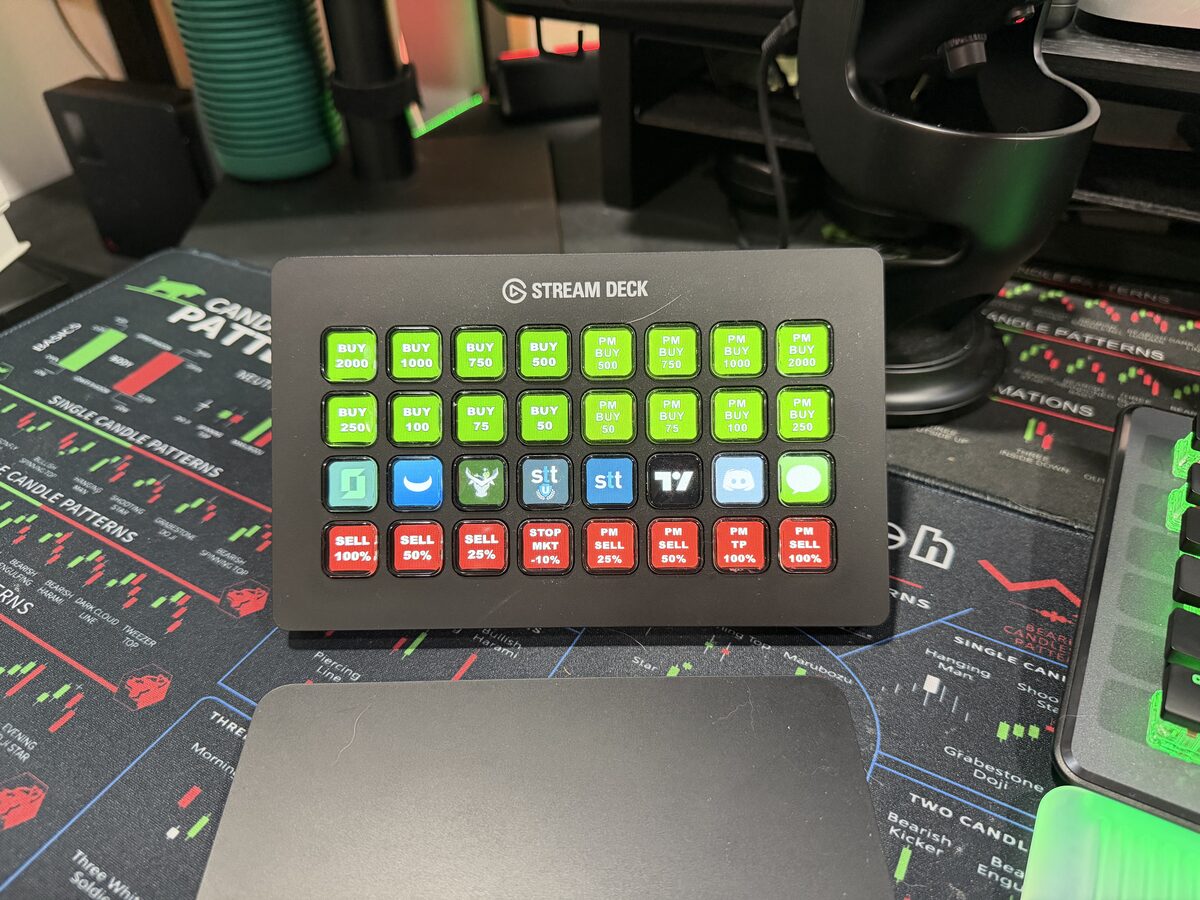
USB-C · 32-button physical hotkey controller — this is the single biggest workflow improvement on my desk. Buy sizes are mapped to green buttons, sell sizes to red, with platform launchers and tools in the middle row. No memorizing hotkeys, no mis-clicks on high-pressure trades. I'll have a dedicated page on the full hotkey setup soon.
AmazonThe full button layout — green rows for buys (2000, 1000, 750, 500 shares and PM equivalents), red row for sells and stop market, middle row for platform launchers. Everything one physical press away.
Sits center-desk between the monitors on a stand · Runs Kev's Trade Momentum Pro Scanner — a dedicated live scan of the market during the trading session. Having it on a separate device means the scanner stays visible and responsive even when the trading platforms on the main monitors are under heavy load.
AppleThe Trade Momentum Pro Scanner running live — gappers, volume leaders, and watchlist alerts without tying up a monitor. The small LED countdown clock behind it keeps track of time-in-trade.
I run Spectrum's Gig internet package paired with their Invincible hardware — faster speeds, ultra-low latency, updated WiFi 7 technology, automatic 5G cellular backup if the wired connection drops, and an 8-hour backup battery to keep the network up through a power outage. I won't get an affiliate bonus from Spectrum for saying this, but the internet connection itself is just as critical to a real trading setup as any piece of hardware on this page — and I'd rather be upfront about that than leave it out.
11 oz · Black · Not a performance accessory — just a real part of the desk. Coffee before the open is non-negotiable, and this one is at least on-brand.
20g protein · My go-to flavor: Green Apple Cinnamon (260 cal) · Prep the night before, grab it in the morning — no cooking, no skipping breakfast, no blood sugar crash by 10 AM. New subscribers get $20 off, a free shaker bottle, and free shipping. I get $20 too when you use my link, which I appreciate.
The green neon chart in the upper left of the setup — acrylic LED neon, not actual neon glass. More vibe than function, but the right setup matters for focus and mindset. More on the full trading space setup on a dedicated page coming soon.
Ergonomic footrest — more useful than it sounds for a standing desk session that transitions to sitting. Keeps posture honest during long watch periods.
The links on this page may be affiliate links — if you order through them, I may earn a commission at no extra cost to you. I only link to programs and tools I've personally used, evaluated, and actually recommend. This review reflects my actual experience with genuine comments, not a paid placement. Any prices mentioned are approximate and were last checked on July 12, 2026; Amazon pricing changes frequently, so confirm the current price before buying.
Last updated: July 12, 2026 — updated as components change.
Free · No Spam · Unsubscribe Anytime
Stay in the Bullish Tools loop.
Tool updates, broker reviews, new features, and early access when membership launches.
Almost there!
Check your inbox from hello@bullishtools.com — confirm your email now.